Free online low-quality image maker. Just drag and drop your image here, and it will automatically get low-quality visual artifacts. You can pixelate the image, soften it with blur, add digital noise, change brightness and color channels, apply retro display effects like scanlines and sepia, and mimic compression from JPEG or WebP formats. Created by engineers from team Browserling.
Free online low-quality image maker. Just drag and drop your image here, and it will automatically get low-quality visual artifacts. You can pixelate the image, soften it with blur, add digital noise, change brightness and color channels, apply retro display effects like scanlines and sepia, and mimic compression from JPEG or WebP formats. Created by engineers from team Browserling.

This tool converts any uploaded image into a low-quality image. It systematically reduces visual clarity, allowing you to recreate the nostalgic "lo-fi" look of the early internet, vintage television, and old hardware. The options let you add digital artifacts, adjust brightness and color balance, and apply effects that give your image a retro or aged look. Use pixelation to turn smooth gradients into blocky squares, or apply blur to soften edges and hide fine textures. Add noise to simulate electronic interference, and use chromatic aberration to shift the red, green, and blue channels, producing colorful fringes around objects. Control brightness and individual color channels. You can lighten or darken the whole image, or boost red, green, and blue separately to produce unusual color shifts. Give your image a nostalgic look by emulating classic hardware artifacts. Overlay CRT-style scanlines, darken corners with a vignette to draw focus to the center, and apply a sepia filter that covers the image with a warm tone similar to an aged photograph. You can also mimic flaws of common formats. Lower JPEG quality to produce blocky, noisy patterns, or reduce WebP quality to add smeared, oily distortions. After applying degradations and compression artifacts, save the final result as a PNG, JPEG, or WebP file. Image-abulous!
This tool converts any uploaded image into a low-quality image. It systematically reduces visual clarity, allowing you to recreate the nostalgic "lo-fi" look of the early internet, vintage television, and old hardware. The options let you add digital artifacts, adjust brightness and color balance, and apply effects that give your image a retro or aged look. Use pixelation to turn smooth gradients into blocky squares, or apply blur to soften edges and hide fine textures. Add noise to simulate electronic interference, and use chromatic aberration to shift the red, green, and blue channels, producing colorful fringes around objects. Control brightness and individual color channels. You can lighten or darken the whole image, or boost red, green, and blue separately to produce unusual color shifts. Give your image a nostalgic look by emulating classic hardware artifacts. Overlay CRT-style scanlines, darken corners with a vignette to draw focus to the center, and apply a sepia filter that covers the image with a warm tone similar to an aged photograph. You can also mimic flaws of common formats. Lower JPEG quality to produce blocky, noisy patterns, or reduce WebP quality to add smeared, oily distortions. After applying degradations and compression artifacts, save the final result as a PNG, JPEG, or WebP file. Image-abulous!
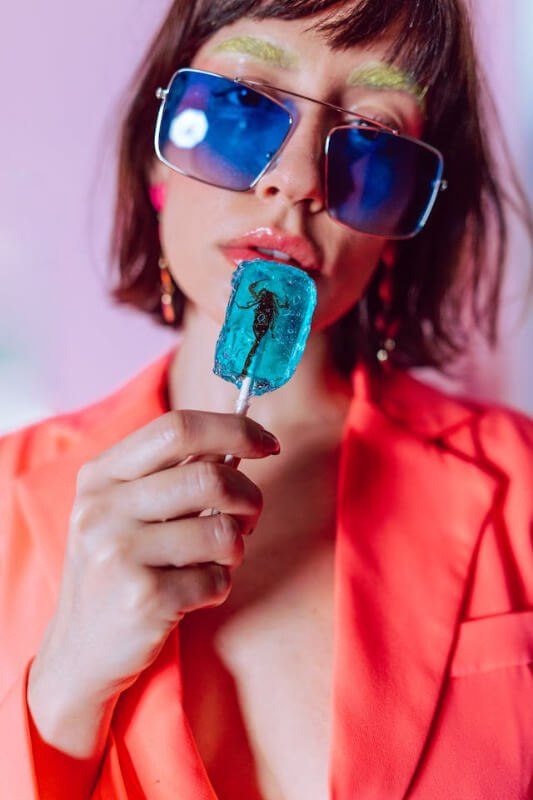
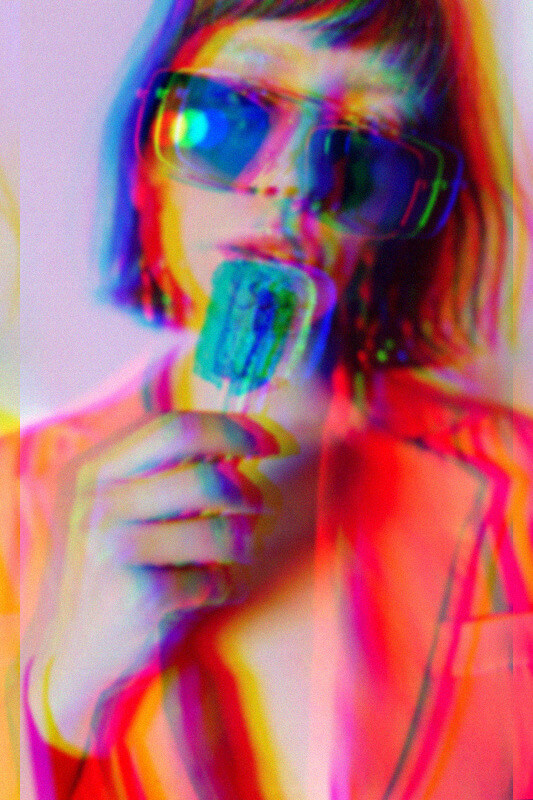
In this example, we reduce the quality of a portrait photo and give it a strong 90s digital aesthetic. We soften the image with a 3-pixel blur, add a small amount of noise (8) to introduce grain, and apply noticeable chromatic aberration (20) to create visible RGB color separation around the face. These combined effects produce a fashionable retro lo-fi look often associated with early digital cameras and old media. (Source: Pexels.)
This example transforms modern robot photography into a frame from a 20th-century sci-fi movie. We drastically reduce JPEG quality to 8% to create strong compression artifacts, then combine them with CRT-style scanlines to simulate an old VHS tape signal. We also increase the green and blue channels to give it that classic "future vision" tint found in vintage cinema. (Source: Pexels.)
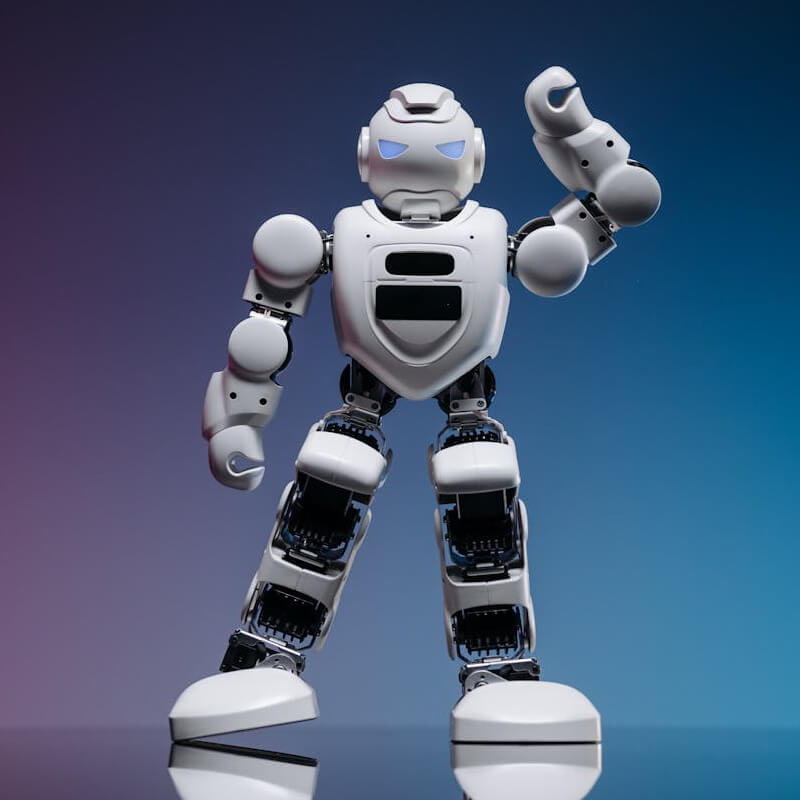
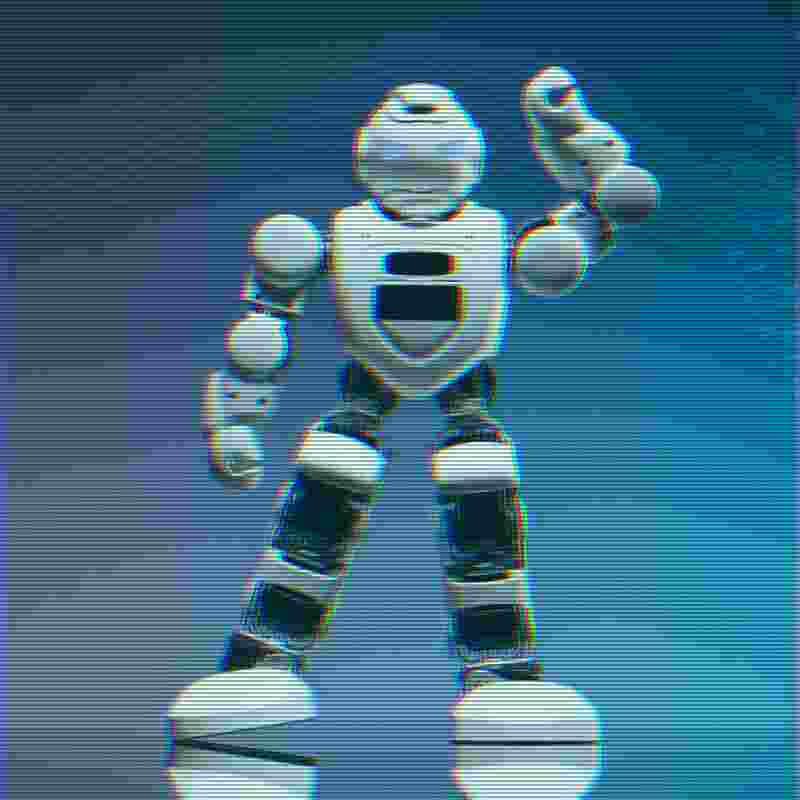
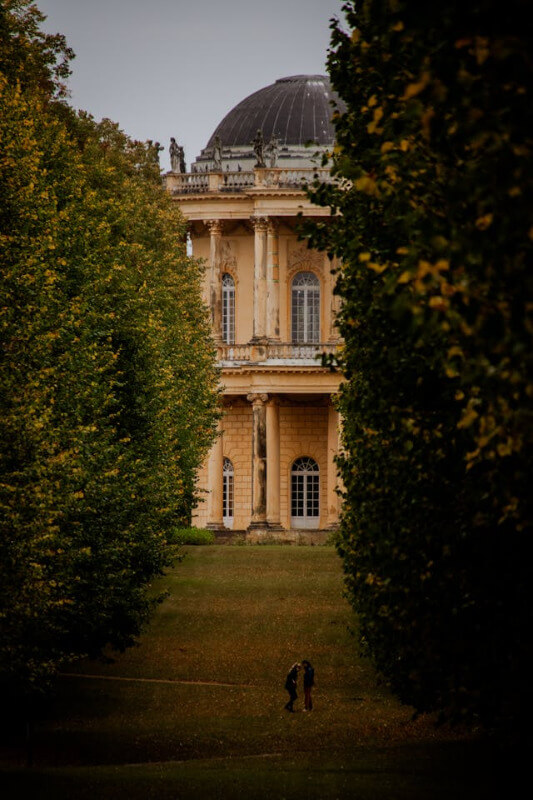
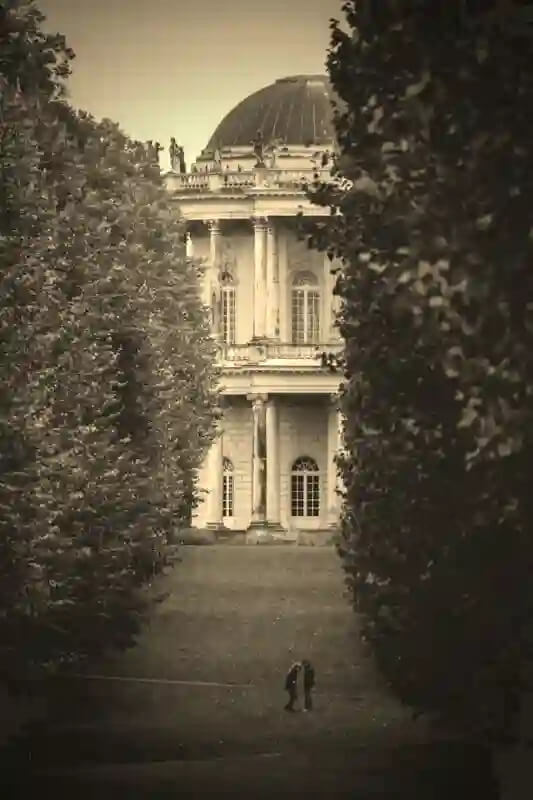
In this example, we transform a photo of a historic estate into a vintage snapshot. A vignette darkens the corners, brightness is slightly raised, and sepia toning adds warmth, making the picture appear aged and film‑like. (Source: Pexels.)
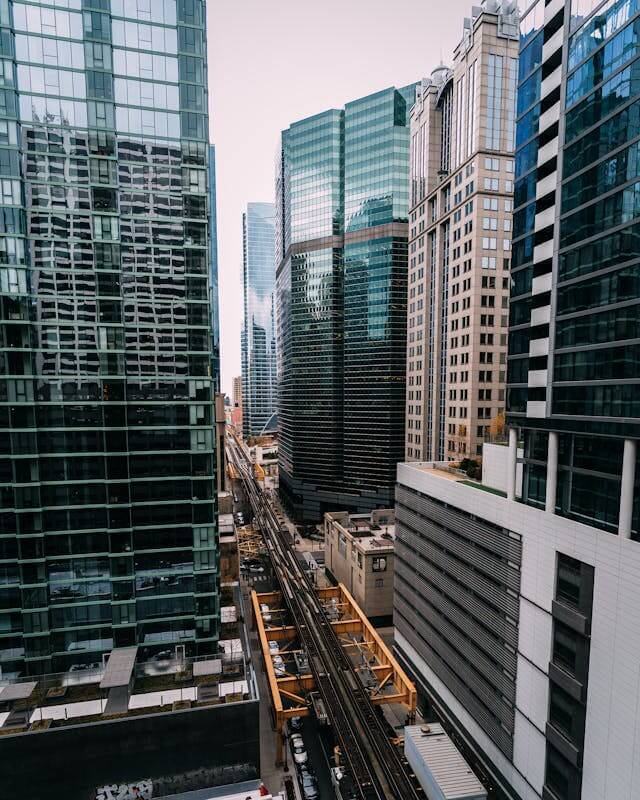
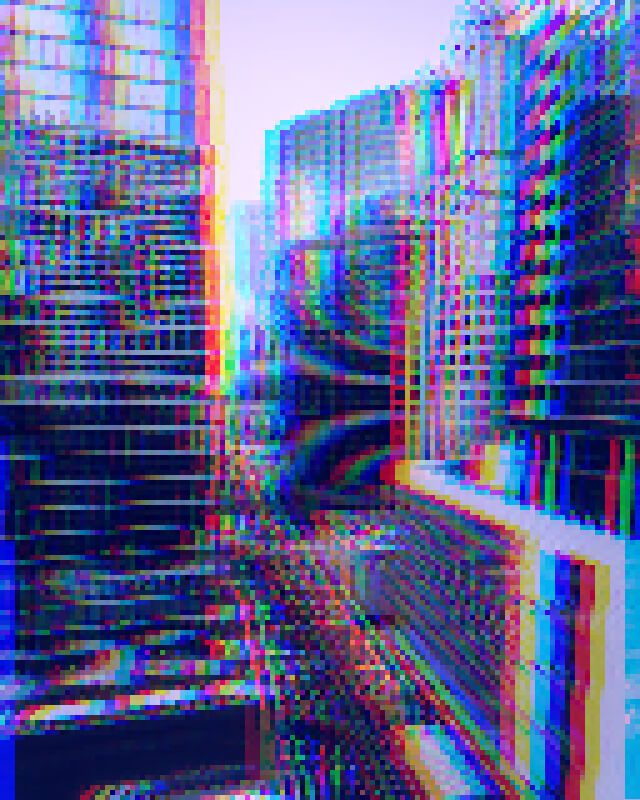
In this example, we create a highly pixelated urban landscape that looks like futuristic glitch art. We set the pixelation to level 5 to break down the city's structure and heavily increase the blue channel for a neon-cyberpunk vibe. We also add chromatic aberration to simulate a distorted digital signal. (Source: Pexels.)
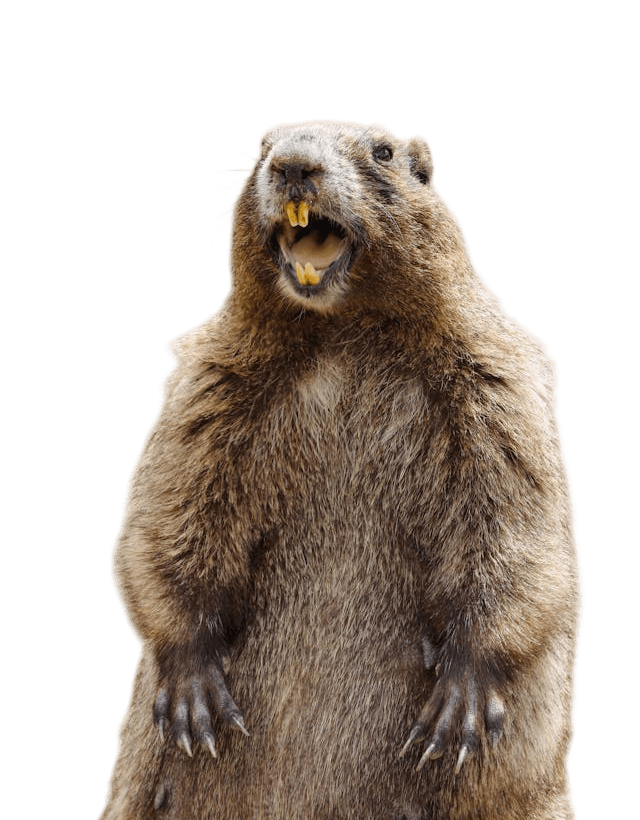
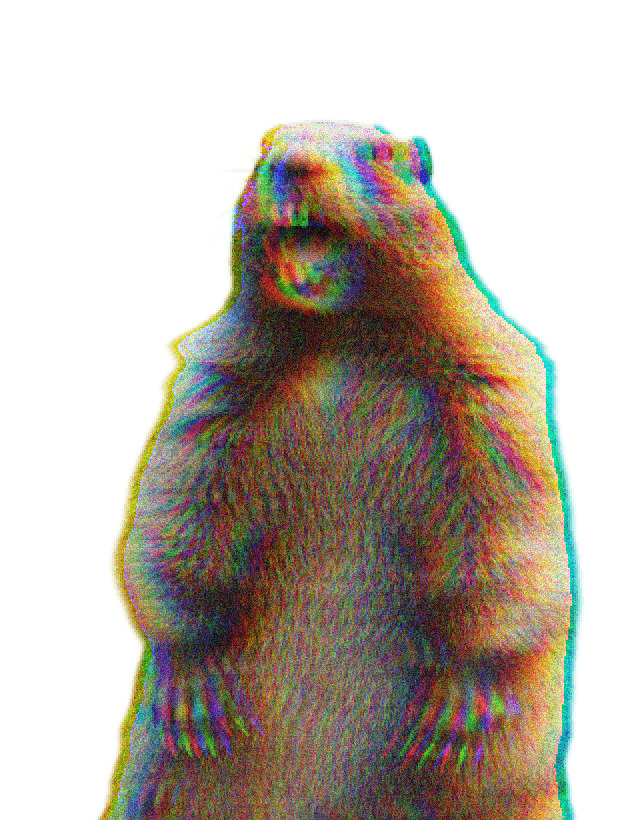
This example turns a screaming marmot image into a deliberately low-quality meme. We apply a pixelation level of 2 to make the image slightly blocky, add strong digital noise at 30 to create a rough grain, and introduce chromatic aberration at 16 to produce colorful edge distortions. The result is a chaotic, low-fidelity PNG sticker often found in humorous internet memes. (Source: Pexels.)
Edit images in your browser.
Place images on a grid so that they make a Fibonacci spiral.
Convert a PNG image to an ICO icon.
Convert an ICO icon to a PNG image.
Convert a PNG image to a TIFF image.
Convert a TIFF image to a PNG image.
Convert a JPEG image to an ICO icon.
Convert an ICO icon to a JPEG image.
Convert a JPEG image to a TIFF image.
Convert a TIFF image to a JPEG image.
Convert a GIF image to an ICO icon.
Convert an ICO icon to a GIF image.
Convert a GIF image to a TIFF image.
Convert a TIFF image to a GIF image.
Convert a GIF image to an APNG icon.
Convert an APNG image to a PNG image.
Convert a bitmap image to an ICO icon.
Convert an ICO icon to a bitmap image.
Convert a bitmap image to a TIFF image.
Convert a TIFF image to a bitmap image.
Convert a Webp image to an ICO icon.
Convert an ICO icon to a Webp image.
Convert a Webp image to a TIFF image.
Convert a TIFF image to a Webp image.
Create an animated GIF image from static frames.
Create an image from an B, G, R array.
Create an image from an R, G, B, A array.
Create an image from an B, G, R, A array.
Increase the quality of an image.
Decrease the quality of an image.
Remove the pixelation effect from an image.
Remove the blur effect from an image.
Apply OCR on an image and extract all text from it.
Erase text or label from an image.
Erase any object from an image.
Convert an image to a thumbnail
Convert a PNG, GIF, JPG or BMP to glitch art.
Let Zalgo destroy an image.
Change an image color space to HSL, HSV, CMYK, or RGB.
Create a mosaic wall from multiple images.
Create an ASCII art image from a regular image.
Create an ANSI art image from a regular image.
Create a Unicode art image from a regular image.
Create a Braille art image from a regular image.
Add a short one-line label to an image.
Remove a watermark from an image.
Create an image made out of dots of varying size and spacing.
Convert an image to a bunch of blocks.
Create a GIF from the original image with interlacing effect.
Subscribe to our updates. We'll let you know when we release new tools and features, and when we organize online workshops.
Enter your email here
We're Browserling — a friendly and fun cross-browser testing company powered by alien technology. At Browserling we love to make people's lives easier, so we created this collection of image editing tools. Our tools have the simplest user interface that doesn't require advanced computer skills and they are used by millions of people every month. Our image tools are actually powered by our web developer tools that we created over the last couple of years. Check them out!