This is a free and fast online utility that resizes bitmap files. You can use the configuration options (below) to specify the desired width and height (in pixels) of the new bitmap. Extra options allow you to preserve the aspect ratio of bitmap sides, and the preview resizers allow you to drag the bitmap and adjust its size interactively. Created by graphics designers from team Browserling.
This is a free and fast online utility that resizes bitmap files. You can use the configuration options (below) to specify the desired width and height (in pixels) of the new bitmap. Extra options allow you to preserve the aspect ratio of bitmap sides, and the preview resizers allow you to drag the bitmap and adjust its size interactively. Created by graphics designers from team Browserling.
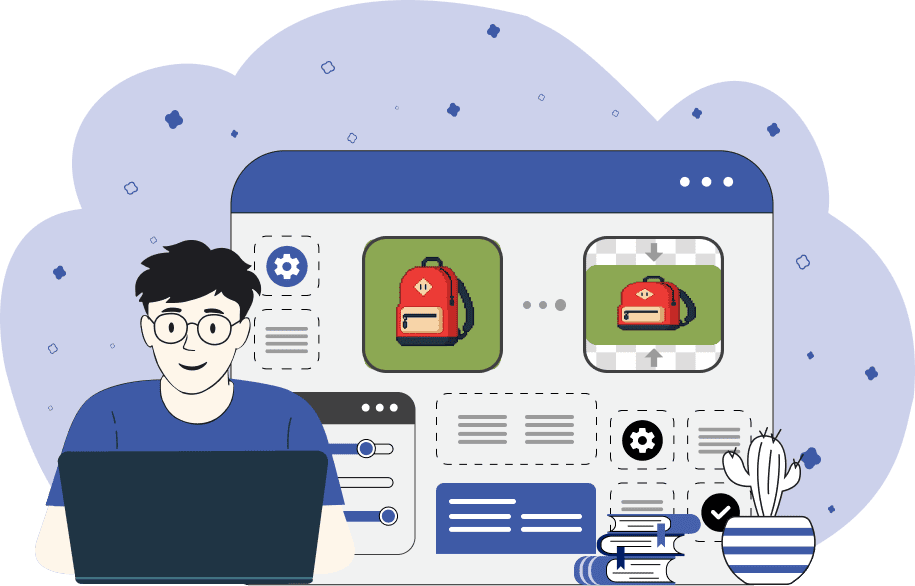
This free online browser-based program changes the dimensions of a BMP image. It can increase or decrease the width and height of a bitmap to any size you need. The new dimensions can be entered in the width and height options fields. If the width or height field is left empty, then the new width or height isn't updated, and that dimension is displayed in its original size. You can also resize the BMP manually by clicking and dragging the resize boxes around the border of the input image. If you want the ratio of the bitmap's width and height to be constrained, use the "Lock Width/Height Ratio" resize mode. This mode fixes the proportion of width to height so that if one of them changes, the other changes automatically. Bmp-abulous!
This free online browser-based program changes the dimensions of a BMP image. It can increase or decrease the width and height of a bitmap to any size you need. The new dimensions can be entered in the width and height options fields. If the width or height field is left empty, then the new width or height isn't updated, and that dimension is displayed in its original size. You can also resize the BMP manually by clicking and dragging the resize boxes around the border of the input image. If you want the ratio of the bitmap's width and height to be constrained, use the "Lock Width/Height Ratio" resize mode. This mode fixes the proportion of width to height so that if one of them changes, the other changes automatically. Bmp-abulous!
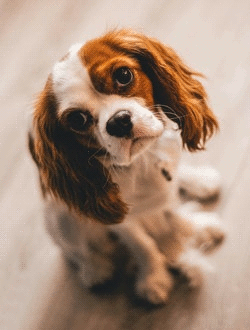
In this example, we use our resizing program to reduce the size of a BMP picture. The original bitmap size is 250px by 330px, and the resized one is 152px by 200px. To prevent the picture of the doggo from shrinking (or stretching) disproportionately in the output, we enable the "Lock Aspect Ratio" option. This option makes sure that if one of the sizes shrinks (or stretches), the other does exactly the same.

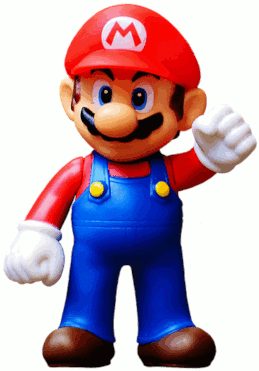
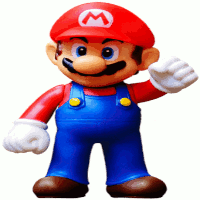
This example resizes a bitmap without keeping the aspect ratio of its sides. It loads a bitmap of Mario in the input, turns off the aspect ratio lock option, and sets both the height and width to 200 pixels. Thus, in the output, we get a square image of the vertically squeezed superhero.
Create and edit bitmaps in your browser.
Make a bitmap smaller in size.
Convert a compressed bitmap to a raw RGB pixel bitmap.
Create a swirl of any radius in a bitmap.
Join two or more bitmaps together.
Place two or more bitmaps on top of each other.
Split a bitmap into multiple independent bitmaps.
Extract one or more selected areas from a bitmap.
Make copies of bitmaps and paste them together.
Skew a bitmap by an arbitrary angle.
Shift a bitmap to the left or right.
Convert a BMP to a Webp.
Convert a Webp to a BMP.
Convert a BMP to a PNG.
Convert a PNG to a BMP
Convert a BMP to a JPG.
Convert a JPG to a BMP.
Convert a BMP to a BPG.
Convert a BPG to a BMP.
Save GIF frames as BMP images.
Convert a bitmap to a single-frame GIF.
Create a Data URL scheme of a bitmap.
Convert a Data URL scheme back to a bitmap image.
Bit Blit two or more BMPs.
Put a new color table in a BMP.
Extract the color table of a BMP.
Extract raw RGB pixels from a BMP and print them out as text.
Create a bitmap image from raw RGB pixels.
Randomly rearrange colors in the BMP color table.
Reduce a BMP's memory footprint.
Destroy parts of a bitmap and make it glitchy.
Subscribe to our updates. We'll let you know when we release new tools and features, and when we organize online workshops.
Enter your email here
We're Browserling — a friendly and fun cross-browser testing company powered by alien technology. At Browserling, we love to make people's lives easier, so we created this collection of online bitmap tools. Our BMP tools have the simplest possible user interface and work directly in your browser without downloads or installations. You can use them to edit bitmap images, change BMP bit depth and colors, resize bitmaps, create transparent BMPs, work with bitmap pixels and byte arrays, and much more. Behind the scenes, our bitmap tools are powered by our web developer tools that we've created over the years. Check them out!