This is a free and fast online utility that removes borders from BMP (bitmap) images. You can use the configuration options (below) to set a removal width for the left, right, top, and bottom sides, or adjust the border boundary directly in the preview. Extra options allow you to select a rectangular or round border shape, choose the background color around a circle or oval, and send the result back for another border-removal pass. Created by graphics designers from team Browserling.
This is a free and fast online utility that removes borders from BMP (bitmap) images. You can use the configuration options (below) to set a removal width for the left, right, top, and bottom sides, or adjust the border boundary directly in the preview. Extra options allow you to select a rectangular or round border shape, choose the background color around a circle or oval, and send the result back for another border-removal pass. Created by graphics designers from team Browserling.
This free online browser-based program removes borders from BMP images by trimming pixels from the left, right, top, and bottom edges. Enter the number of pixels to remove from each side, and the tool keeps the remaining area as a new BMP. Each side is controlled independently, so you can remove an even frame, uneven scanner margins, narrow sidebars, or a decoration that appears along only one edge. Leave a side empty or set it to zero when no trimming is needed there. You can also adjust the border removal directly in the input preview by moving and resizing the selection. Use a rectangular shape to remove a straight-sided frame around a square or rectangular picture. Use a round shape when the inner picture is circular or oval. In round mode, the curved crop exposes the four canvas corners, which can be filled with the selected background color. For wide or irregular borders, enable another trimming pass and click "Remove Border Again" to return the current result to the input side for further adjustment. To add a new frame instead, open our Add a Border to a Bitmap tool. Bmp-abulous!
This free online browser-based program removes borders from BMP images by trimming pixels from the left, right, top, and bottom edges. Enter the number of pixels to remove from each side, and the tool keeps the remaining area as a new BMP. Each side is controlled independently, so you can remove an even frame, uneven scanner margins, narrow sidebars, or a decoration that appears along only one edge. Leave a side empty or set it to zero when no trimming is needed there. You can also adjust the border removal directly in the input preview by moving and resizing the selection. Use a rectangular shape to remove a straight-sided frame around a square or rectangular picture. Use a round shape when the inner picture is circular or oval. In round mode, the curved crop exposes the four canvas corners, which can be filled with the selected background color. For wide or irregular borders, enable another trimming pass and click "Remove Border Again" to return the current result to the input side for further adjustment. To add a new frame instead, open our Add a Border to a Bitmap tool. Bmp-abulous!
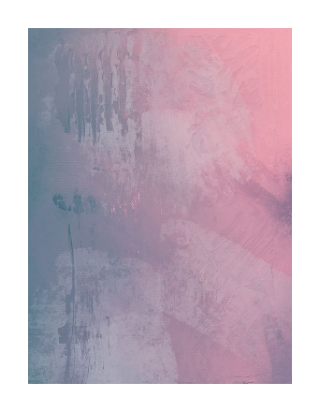
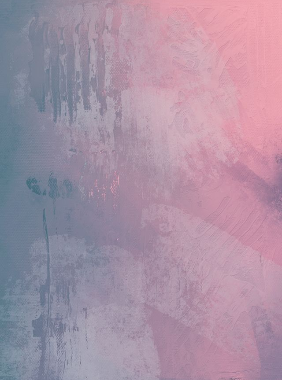
This example removes the white padding around an abstract painting in soft pink, blue, and violet colors. The padding is 30 pixels wide on every side, so we set all four widths to 30 and use the rectangular shape. The output canvas ends exactly at the edges of the pastel artwork. (Source: Pexels.)
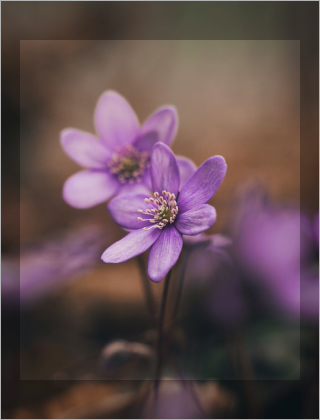
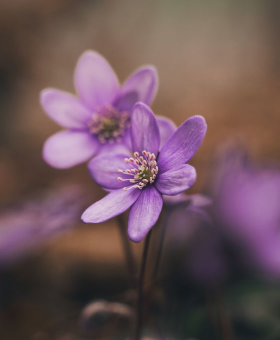
In this example, we remove a dark semi-transparent margin from a BMP photo of purple anemone flowers. The margin is located inside the image and is overlaid directly on top of its pixels, so the flower photograph remains faintly visible through it. Its width is uneven: the left and right sections are 20 pixels wide, while the top and bottom sections are 40 pixels wide. We use the rectangular shape to cut off the overlaid edge areas and keep the clear inner part of the BMP. (Source: Pexels.)
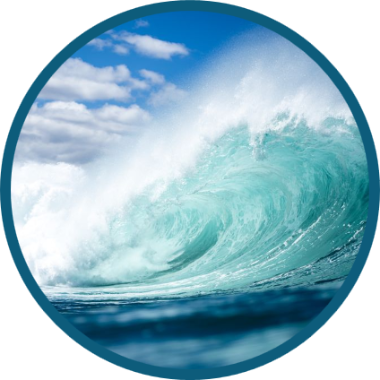
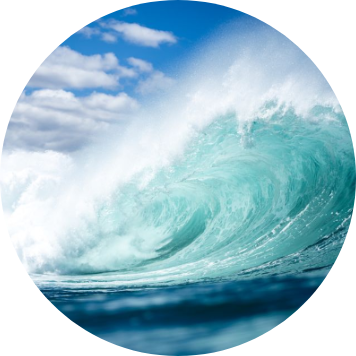
In this example, we remove the dark teal border around a round BMP photograph of an ocean wave. The border is 13 pixels wide on every side, so we enter 13 for all four widths and select the round shape. We also set the background to white, which fills the four corners outside the circular photo. (Source: Pexels.)
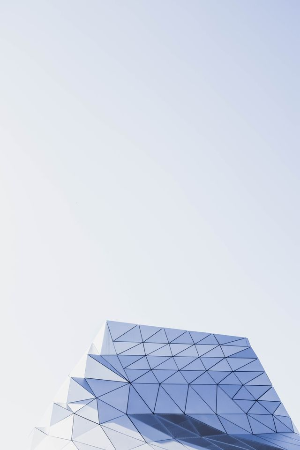
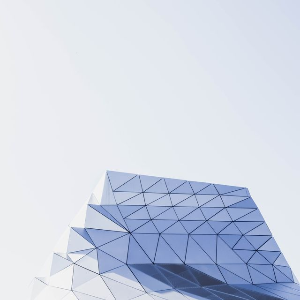
This example removes a large area of empty sky above a geometric building. We cut 150 pixels from the top of the BMP and leave the left, right, and bottom sides unchanged. This turns the 300-by-450-pixel portrait image into a compact 300-by-300-pixel square. (Source: Pexels.)
Create and edit bitmaps in your browser.
Make a bitmap smaller in size.
Convert a compressed bitmap to a raw RGB pixel bitmap.
Create a swirl of any radius in a bitmap.
Join two or more bitmaps together.
Place two or more bitmaps on top of each other.
Split a bitmap into multiple independent bitmaps.
Extract one or more selected areas from a bitmap.
Make copies of bitmaps and paste them together.
Skew a bitmap by an arbitrary angle.
Shift a bitmap to the left or right.
Convert a BMP to a Webp.
Convert a Webp to a BMP.
Convert a BMP to a PNG.
Convert a PNG to a BMP
Convert a BMP to a JPG.
Convert a JPG to a BMP.
Convert a BMP to a BPG.
Convert a BPG to a BMP.
Save GIF frames as BMP images.
Convert a bitmap to a single-frame GIF.
Create a Data URL scheme of a bitmap.
Convert a Data URL scheme back to a bitmap image.
Bit Blit two or more BMPs.
Put a new color table in a BMP.
Extract the color table of a BMP.
Extract raw RGB pixels from a BMP and print them out as text.
Create a bitmap image from raw RGB pixels.
Randomly rearrange colors in the BMP color table.
Reduce a BMP's memory footprint.
Destroy parts of a bitmap and make it glitchy.
Subscribe to our updates. We'll let you know when we release new tools and features, and when we organize online workshops.
Enter your email here
We're Browserling — a friendly and fun cross-browser testing company powered by alien technology. At Browserling, we love to make people's lives easier, so we created this collection of online bitmap tools. Our BMP tools have the simplest possible user interface and work directly in your browser without downloads or installations. You can use them to edit bitmap images, change BMP bit depth and colors, resize bitmaps, create transparent BMPs, work with bitmap pixels and byte arrays, and much more. Behind the scenes, our bitmap tools are powered by our web developer tools that we've created over the years. Check them out!