Quickly create a QR code with a website link for easy access to the site. Enter the web address, select a pattern style, and personalize the corner shapes and colors. Choose a solid color or gradient, set the background, and adjust the image size, padding, and damage resistance. Save the QR code as a PNG for business cards, product labels, flyers, or posters. Fast, free, and easy to use. Created with love by team Browserling.
Quickly create a QR code with a website link for easy access to the site. Enter the web address, select a pattern style, and personalize the corner shapes and colors. Choose a solid color or gradient, set the background, and adjust the image size, padding, and damage resistance. Save the QR code as a PNG for business cards, product labels, flyers, or posters. Fast, free, and easy to use. Created with love by team Browserling.
This online QR code generator lets you turn website addresses into scannable QR codes, making link sharing quick and convenient. A smartphone can scan the code and open the linked website directly, without needing to type a long address. This is useful for sharing websites, online stores, social media profiles, and other online content. To create a QR code, simply paste the full website link into the input field in the options. The generator converts the address into a QR pattern that can be read by compatible phones and QR scanners. You can then personalize the code using various design options. Start by picking how the small elements should look, from square blocks and circular dots to smooth squares and decorative classy styles. The three large corner marks have separate settings for their outer frames and inner centers, allowing you to mix different shapes. You can also highlight these parts with colors that differ from the main pattern. For the main QR design, apply one uniform color or create a gradient using two colors and a custom angle. You can also pick a different background shade. The QR code can include a chain-link symbol as a central design detail. Its color can follow the QR design automatically or be set separately. Set the image size in pixels and adjust the padding to leave enough empty space around the code for easy scanning. You can also select one of four damage-resistance levels, from low to maximum, to help the QR code remain readable if parts of it become worn or partly covered. Once the QR code is ready, download it as a PNG image for use on business cards, product labels, websites, or other materials. QR-tastic!
This online QR code generator lets you turn website addresses into scannable QR codes, making link sharing quick and convenient. A smartphone can scan the code and open the linked website directly, without needing to type a long address. This is useful for sharing websites, online stores, social media profiles, and other online content. To create a QR code, simply paste the full website link into the input field in the options. The generator converts the address into a QR pattern that can be read by compatible phones and QR scanners. You can then personalize the code using various design options. Start by picking how the small elements should look, from square blocks and circular dots to smooth squares and decorative classy styles. The three large corner marks have separate settings for their outer frames and inner centers, allowing you to mix different shapes. You can also highlight these parts with colors that differ from the main pattern. For the main QR design, apply one uniform color or create a gradient using two colors and a custom angle. You can also pick a different background shade. The QR code can include a chain-link symbol as a central design detail. Its color can follow the QR design automatically or be set separately. Set the image size in pixels and adjust the padding to leave enough empty space around the code for easy scanning. You can also select one of four damage-resistance levels, from low to maximum, to help the QR code remain readable if parts of it become worn or partly covered. Once the QR code is ready, download it as a PNG image for use on business cards, product labels, websites, or other materials. QR-tastic!
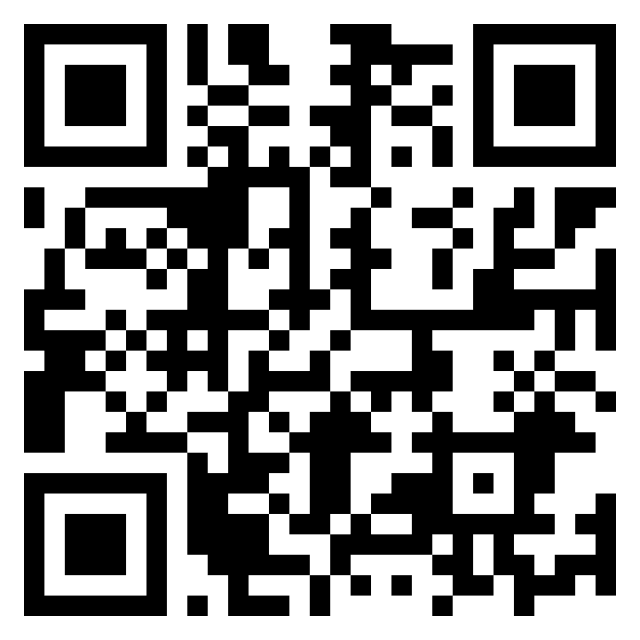
In this example, we create a QR code containing a link to Browserling's Dribbble profile. The design follows a minimal style, combining solid black square blocks, sharp corner shapes, and a plain white background. We add 24-pixel padding and medium damage resistance. The 640-pixel image is ideal for sharing a Dribbble link in portfolios, contact cards, or project presentations.
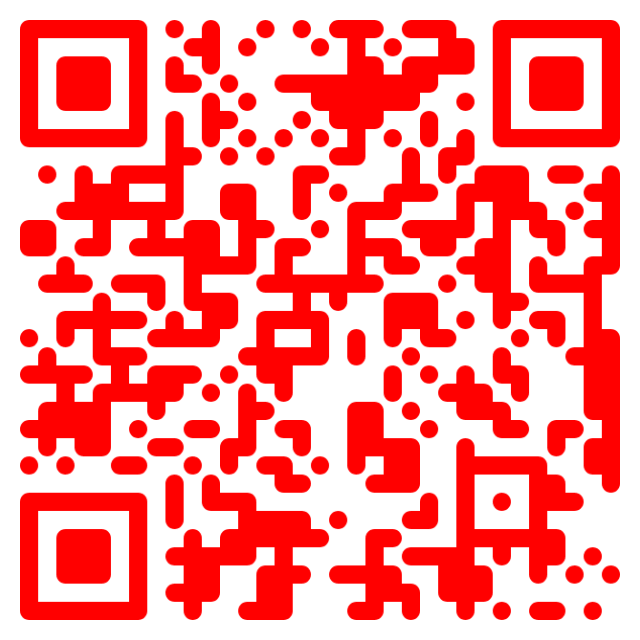
In this example, we turn a link to our favorite YouTube channel, Dude Perfect, into a QR code. Inspired by YouTube's colors, we use a bright red solid color with rounded modules and matching rounded-corner frames and centers. The 640-pixel image is highly resistant to damage, making it suitable for video recommendations, fan posters, and channel promotions.
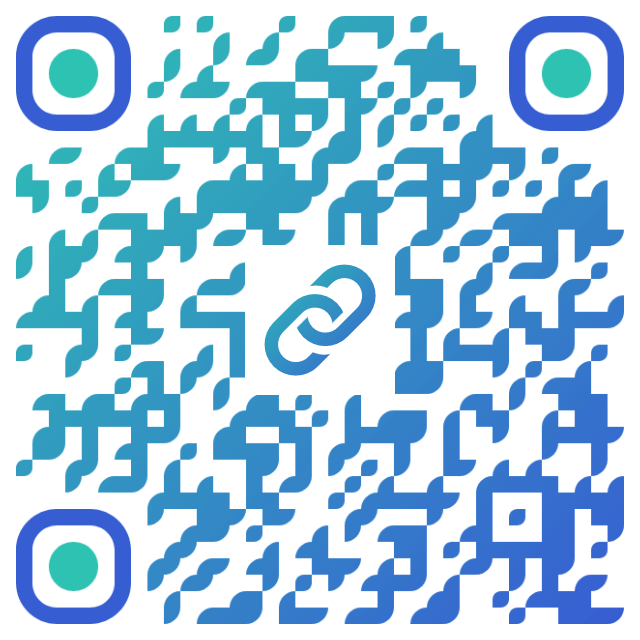
In this example, we turn a link to a programming news page we read daily on Reddit into a QR code. We use a classy rounded pattern with a teal-to-blue gradient and matching custom corner colors. Scanning the code takes users directly to the Reddit community, where they can explore programming news and discussions. We also place a matching gradient chain-link logo in the center to emphasize that the QR code opens a web link.
Read a QR code from an image and extract its contents.
Change the colors, size, and appearance of a QR code.
Place a custom logo or image in the center of a QR code.
Turn a QR code into a scalable SVG image.
Turn a QR code into a downloadable PNG file.
Create a QR code that links directly to a PDF document.
Create a QR code that lets customers leave a Google review.
Create a QR code that opens a restaurant's digital menu.
Create a QR code that opens a WhatsApp chat with a phone number.
Create a QR code that links directly to an Instagram profile.
Create a QR code that opens a YouTube video or channel.
Create a QR code that links to a Facebook page or profile.
Create a QR code that opens a TikTok profile or video.
Create a QR code that links to a LinkedIn profile or company page.
Create a QR code that opens a location in Google Maps.
Create a QR code containing event details, dates, and locations.
Create a QR code that opens a payment link or checkout page.
Create a QR code that links to an app in the App Store or Google Play.
Create a QR code that opens a Spotify song, album, or playlist.
Add a custom text label below a QR code, such as "Scan Me".
Surround a QR code with a customizable decorative frame.
Generate multiple QR codes at once from a list of text or URLs.
Arrange multiple QR codes on a printable sheet.
Test whether a QR code can be scanned and decoded correctly.
Subscribe to our updates. We'll let you know when we release new tools and features, and when we organize online workshops.
Enter your email here
We're Browserling – a friendly and fun cross-browser testing company powered by alien technology. At Browserling, our mission is to make people's lives easier, so we created this collection of QR code tools. Our tools have the simplest user interface that doesn't require advanced computer skills and they are used by millions of people every month. Behind the scenes, all QR tools are actually powered by our web developer tools that we created over the last couple of years. Check them out!